
What AP Automation Actually Looks Like Inside Spire
A step-by-step look at how Envelope AI processes vendor invoices into Spire AP: document capture, AI extraction, PO matching, GL coding, and posting.
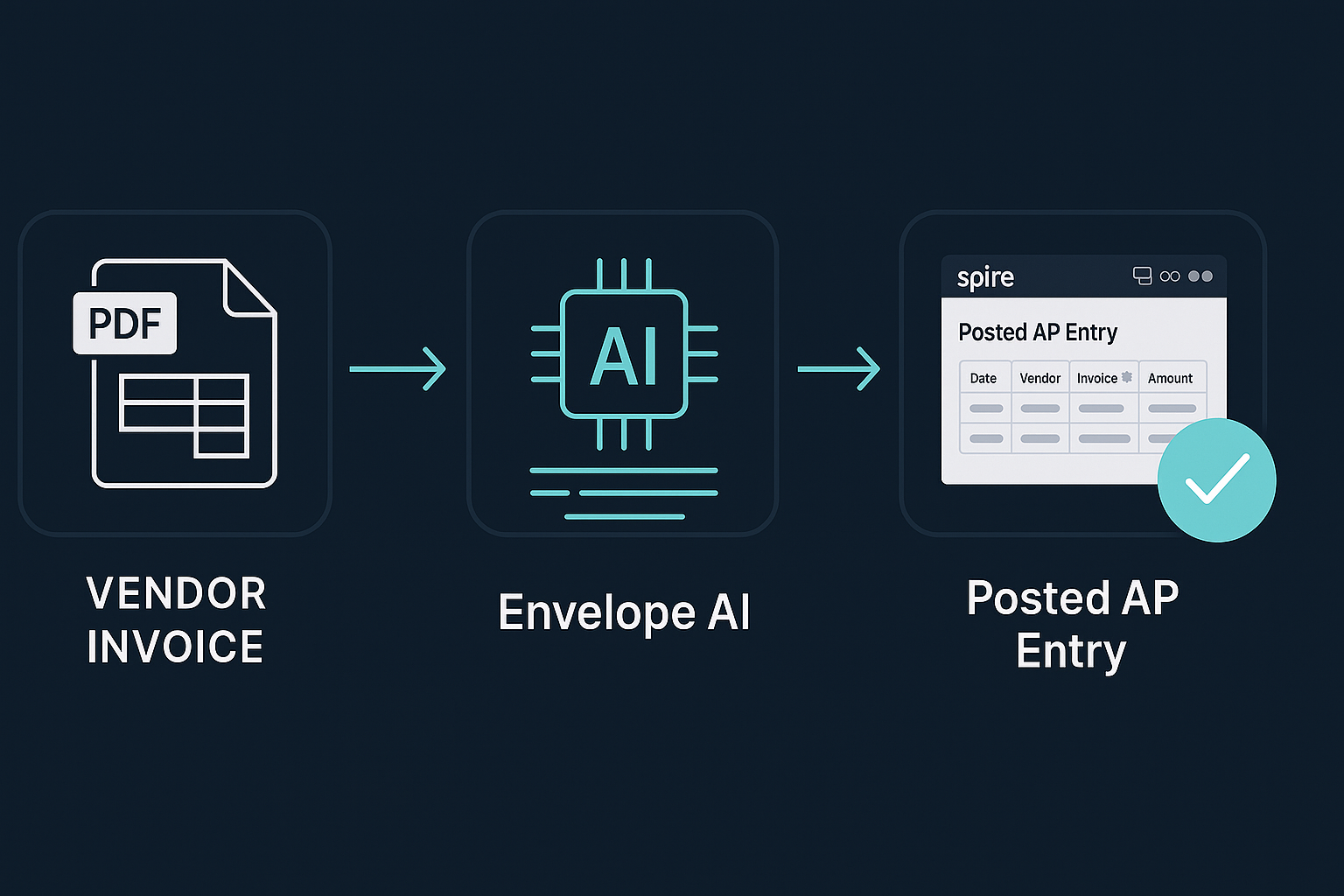
Most articles about AP automation describe it in the abstract. "AI reads your invoices." "Eliminate manual data entry." "Streamline your accounts payable process." These are marketing claims, not workflow descriptions.
Here is what AP automation actually looks like when you use Envelope AI with Spire ERP. Step by step, from document to posted transaction.
Step 1: The invoice arrives
A vendor invoice lands in your inbox as a PDF attachment. Or someone scans a paper invoice. Or a team member photographs a receipt with their phone. The format does not matter. Envelope AI accepts PDFs, images, and email attachments.
You forward the document to Envelope AI or drop it into the processing queue. That is the last time a human touches this invoice until the review step.
Step 2: AI reads the document
Claude AI examines the document and extracts structured data: vendor name, invoice number, date, line items, quantities, unit prices, subtotals, tax amounts, and total. It handles multi-page invoices, varied layouts, handwritten notes, and the general messiness of real-world vendor documents.
This is not template-based OCR that breaks when a vendor changes their invoice format. The AI reads the document the way a person would, understanding context and layout rather than looking for data in fixed positions.
Step 3: Vendor matching
Envelope AI matches the extracted vendor name to your Spire vendor list. It handles the common problems: "ABC Manufacturing Ltd." on the invoice versus "ABC Manufacturing" in Spire. Abbreviations, punctuation differences, and name variations are resolved using fuzzy matching against your existing vendor records.
If the vendor is genuinely new, Envelope AI flags it for review rather than guessing.
Step 4: PO matching (three-way)
For invoices tied to a purchase order, Envelope AI performs three-way matching: the purchase order (what you ordered), the receiving record (what you received), and the invoice (what the vendor is charging).
Quantities match? Prices match? Move forward. A discrepancy in quantity suggests a short shipment or backorder. A discrepancy in price suggests a pricing error or an unauthorized price increase. Either way, the discrepancy is flagged with a clear explanation before anything posts.
This is where significant money gets saved. Three-way matching catches overcharges, duplicate invoices, and billing errors that manual AP processing routinely misses because no one has time to verify every line against the PO.
Step 5: GL coding
Envelope AI assigns GL account codes based on your posting history. If you have posted invoices from this vendor to a specific GL account 47 times, the 48th invoice gets the same coding automatically.
For new vendors or unusual line items, the AI makes its best recommendation based on similar transactions and flags it for review. Your AP team confirms or corrects the coding once. The AI learns from the correction.
Step 6: Currency conversion
For foreign currency invoices, Envelope AI pulls the current exchange rate from the Bank of Canada and applies the conversion automatically. The base currency amount, foreign currency amount, and exchange rate are all recorded on the transaction for audit purposes.
If you receive invoices in USD, EUR, or any other currency, the conversion is handled before posting. No manual rate lookups, no spreadsheet calculations, no month-end exchange rate adjustments on transactions that were converted at the wrong rate.
Step 7: Review and approve
The fully prepared transaction appears in a review queue. Your AP person sees the vendor, invoice number, line items, GL coding, PO match status, and any flags. They review and approve with a single click, or they correct and approve.
The review step takes 10 to 15 seconds per invoice for clean transactions. For flagged transactions, it takes as long as the investigation requires. But the investigation is focused: the AI tells you exactly what did not match and why.
Step 8: Post to Spire
On approval, the transaction posts directly to Spire AP with correct vendor, GL accounts, tax codes, currency conversion, and PO linkage. The AP aging updates. The GL updates. The PO status updates. One action, multiple records kept in sync.
The math
Manual AP entry takes two to five minutes per invoice depending on complexity. Envelope AI reduces that to 10 to 30 seconds of review time. For a company processing 200 invoices per month, that is roughly 15 hours of data entry replaced by 1 to 2 hours of review.
The accuracy improvement is harder to quantify but often more valuable. Three-way matching catches errors that manual processing misses. Consistent GL coding eliminates month-end reclassification. Currency conversion at the correct rate prevents exchange variances.
Try it
If you want to see Envelope AI process one of your actual vendor invoices (with your data, your vendors, your GL structure), we can do that in a 20-minute demo. Bring a PDF.
Written by
Gemini LogicReady to upgrade your ERP?
Talk to our team about migrating from BV or moving to Spire.