![Gemini-Logic-Logo (1).png]](https://cs.geminilogic.com/hs-fs/hubfs/Gemini-Logic-Logo%20(1).png?height=40&name=Gemini-Logic-Logo%20(1).png)

- flag the payment or other type of transaction you wish to reverse - or- if the payment or transaction is closed:
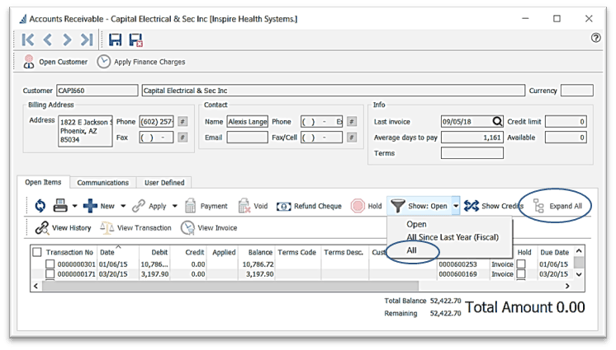
- click
 Show Open and select All
 - click
 Expand All - -or- click
  to expand the desired linked transaction grouping
- seek out your transaction by clicking on any one of the column headings, and typing what you are searching for
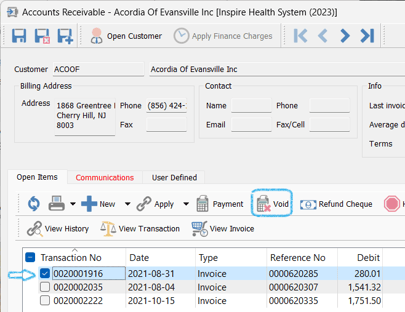
- flag the transaction you wish to void
- click
 Void
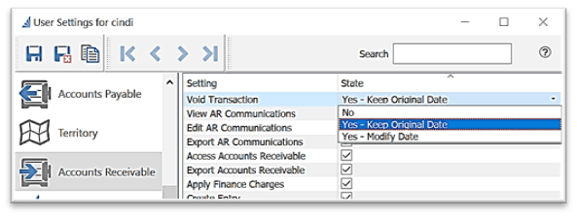
Void - User Settings permitting, you will be prompted to accept or change the date
- click
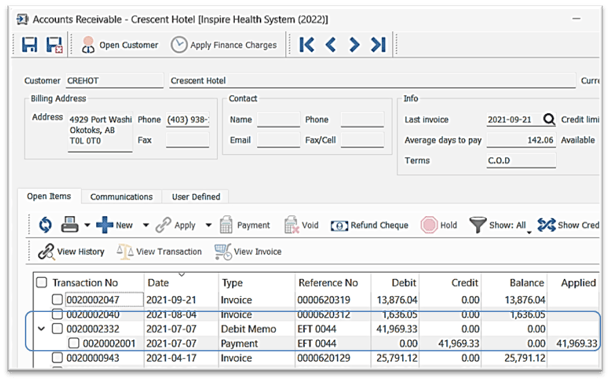
 Show: Open and select All or All Since Last Year (Fiscal) to view the voiding transaction (in this case Debit Memo) - click the
  to expand and view the voided transaction (in this case Payment):