![Gemini-Logic-Logo (1).png]](https://cs.geminilogic.com/hs-fs/hubfs/Gemini-Logic-Logo%20(1).png?height=40&name=Gemini-Logic-Logo%20(1).png)
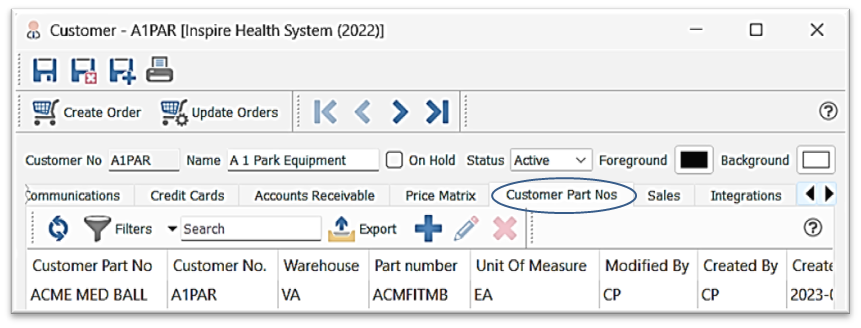
- Add new Customer Part No
- select / type your Inventory Part No
- establish the Unit of Measure (UOM)
- enter the Customer Part No
- option to import your Customer Part Nos in Tools > Import
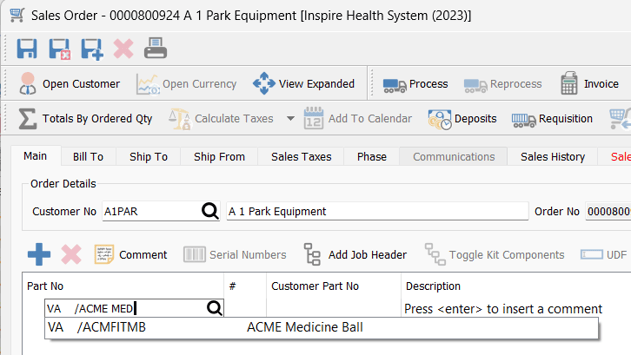
- if you want to use them to enter into the Sales Order just type them into the 'Part No' field
- in this example, the Customer Part No ('ACME MED') is typed into the 'Part No' field in a Sales Order and Spire presents your Part No ('AMFITMB')
- in this example, the 'Customer Part No' field will not populate
- if you want the 'Customer Part No' to populate as well, make sure this setting is on:
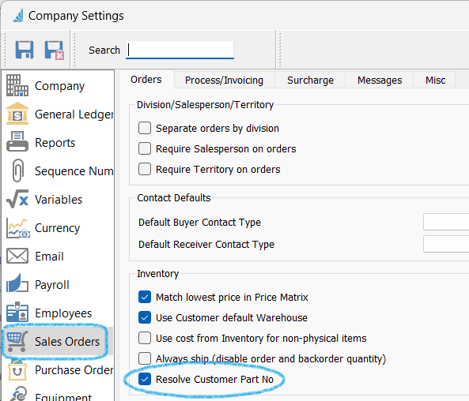
-
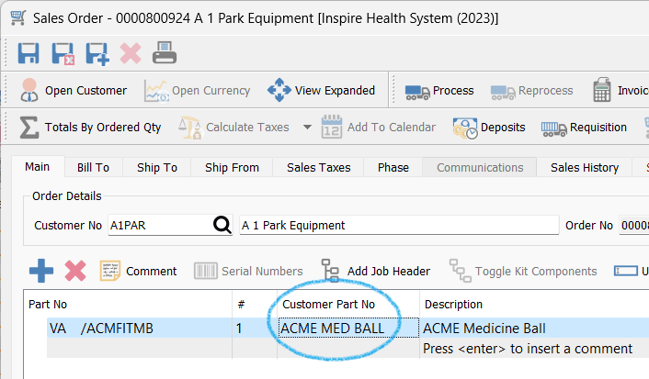
- then you will see the Customer Part No populate your Sales Order: