![Gemini-Logic-Logo (1).png]](https://cs.geminilogic.com/hs-fs/hubfs/Gemini-Logic-Logo%20(1).png?height=40&name=Gemini-Logic-Logo%20(1).png)
- assign the GL Account as a bank in the Details tab -
 Bank Account
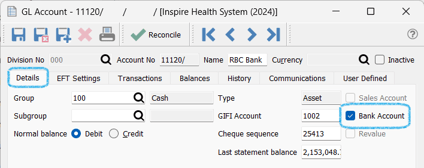
- go to the EFT Settings tab
- click
 to select a format
 - fill in EFT Configuration settings provided by your bank to ensure they conform to specifications
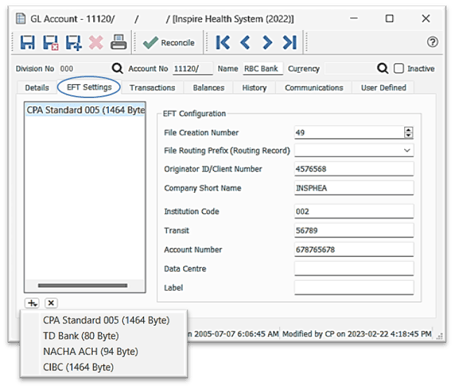
option to have multiple EFT settings established for selection during EFT batch posting through Accounts Payable or Accounts Receivable or Payroll