![Gemini-Logic-Logo (1).png]](https://cs.geminilogic.com/hs-fs/hubfs/Gemini-Logic-Logo%20(1).png?height=40&name=Gemini-Logic-Logo%20(1).png)

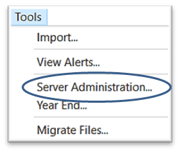
Access - Tools > Server Administration
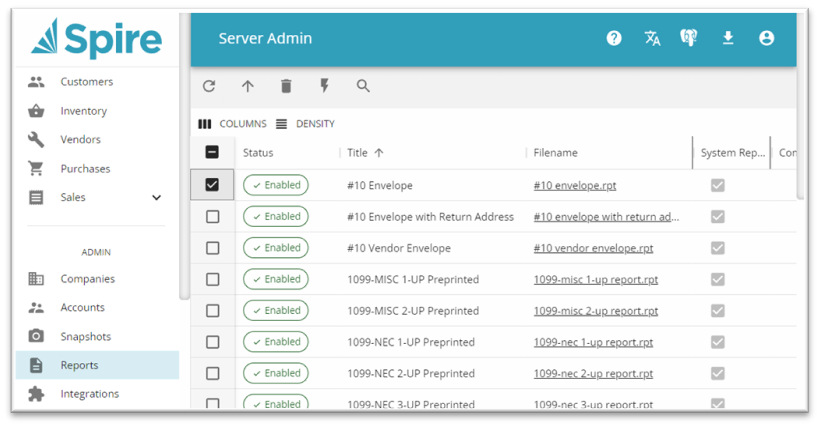
 Refresh Reports list to load recent changes
 Upload a new Report
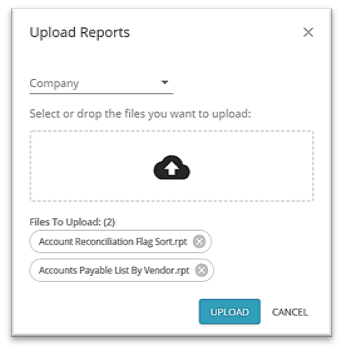
-
- option to select Company or leave blank for ability to access report from all Companies
 Select the Report file(s) from the network
- click UPLOAD
- -note- reports from older versions of Spire are now supported
 Delete selected Report(s) will delete the file completely, not just remove it from the list
 Toggle Report Status will activate / deactivate a report to add or remove it from Spire report lists