![Gemini-Logic-Logo (1).png]](https://cs.geminilogic.com/hs-fs/hubfs/Gemini-Logic-Logo%20(1).png?height=40&name=Gemini-Logic-Logo%20(1).png)
for setup see Inventory - Details Tab > Serial / Lot Numbering 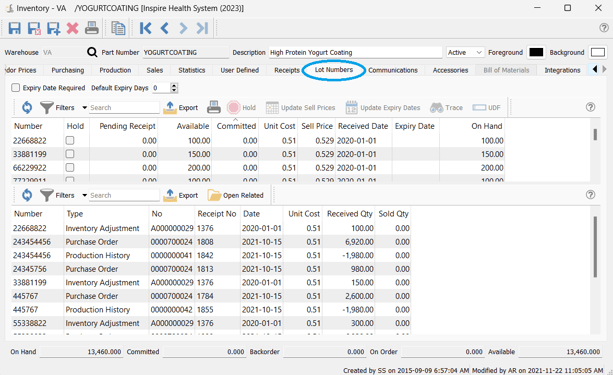
- select the Serial / Lot Number to view the Receipt and / or Sale in bottom grid area:
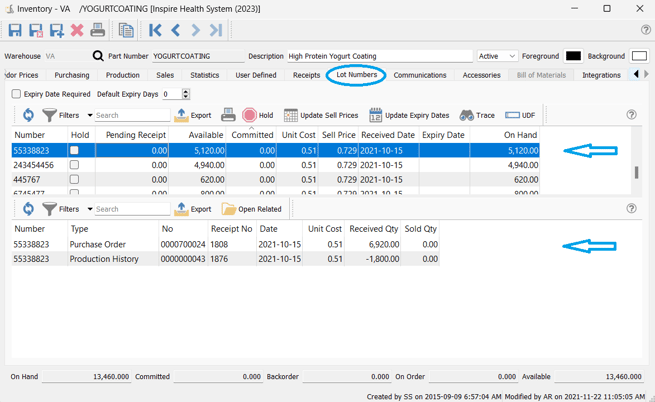
- option to
 Update Sell Price for available Serial / Lot Numbers
 - option to
 Update Expiry Date for available Lot Numbers
  Trace allows you to
  Open Related Sales or Purchase or Production historical document for the Lot transaction selected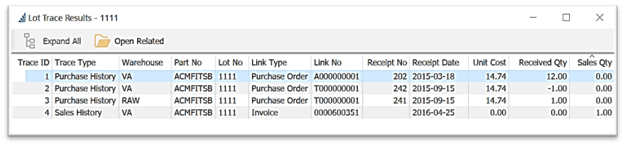
- create
 User Defined fields (UDF) for the selected Lot / Serial Number (see more info)
 - Serial / Lot Number List Customization - see Inventory - Access / List Functionality