![Gemini-Logic-Logo (1).png]](https://cs.geminilogic.com/hs-fs/hubfs/Gemini-Logic-Logo%20(1).png?height=40&name=Gemini-Logic-Logo%20(1).png)
Setup
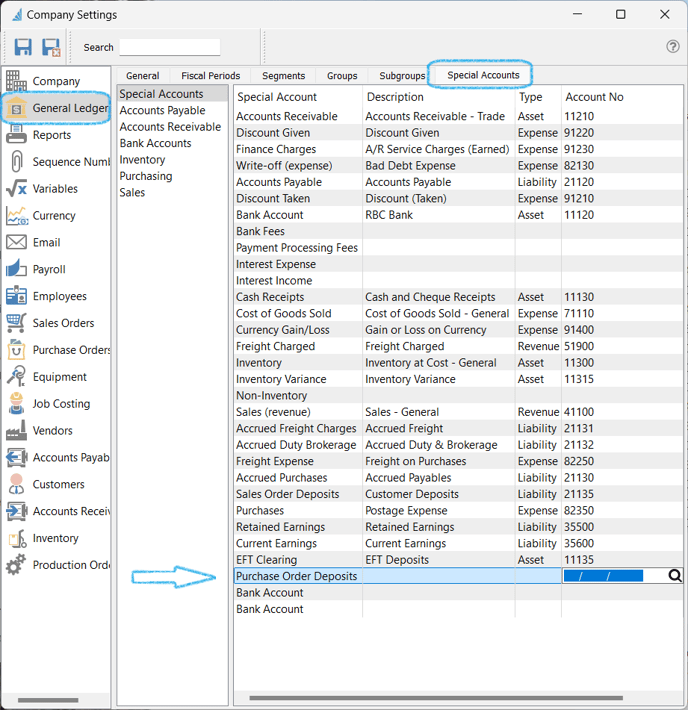
Establish the GL Account you want to accumulate these payments in through Company Settings > General Ledger > Special Accounts (you may need to create a new GL Account for this):
Create a new Deposit
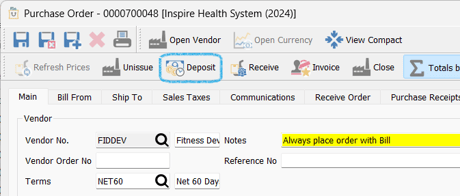
- click
 Deposit in the PO header:
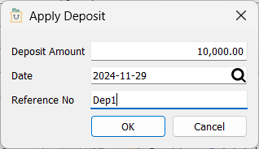
- enter information
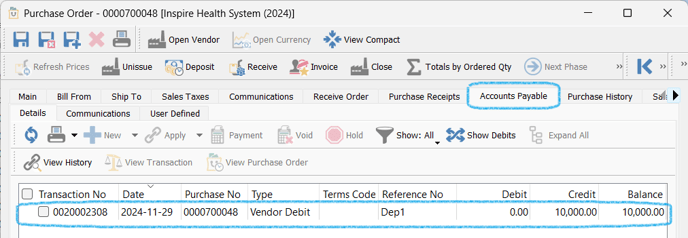
- the deposit will display in the Accounts Payable tab of the Purchase Order as a Vendor Debit:
- option to
 flag the transaction and
  Void to reverse this Deposit