![Gemini-Logic-Logo (1).png]](https://cs.geminilogic.com/hs-fs/hubfs/Gemini-Logic-Logo%20(1).png?height=40&name=Gemini-Logic-Logo%20(1).png)
 Delete Sales Order(s) that are not in Processed or Shipped status
- in the Sales Orders list, select the Order(s) you want to delete
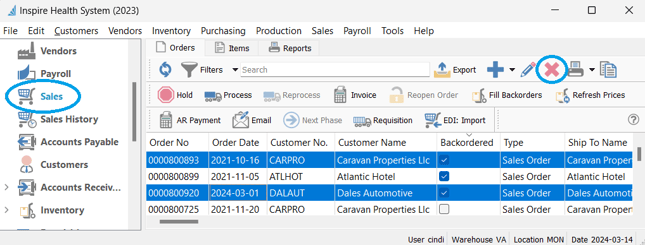
- click Delete
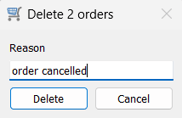
- type in the Delete Reason
-
- this reason will be stored for each deleted Sales Order in the Communications tab:
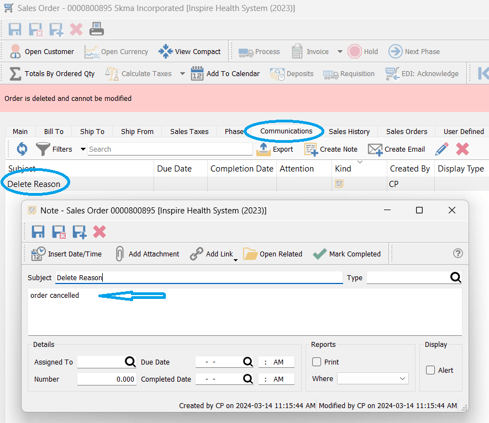
- this reason will be stored for each deleted Sales Order in the Communications tab:
 Recover Deleted Sales Orders
-
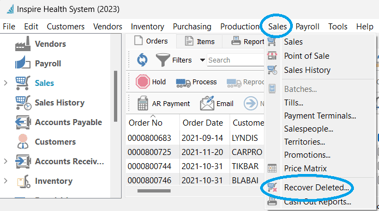
- access - Sales text menu > Recover Deleted
-
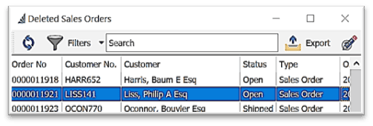
- select the Sales Order you wish to recover
-
- double-click or select
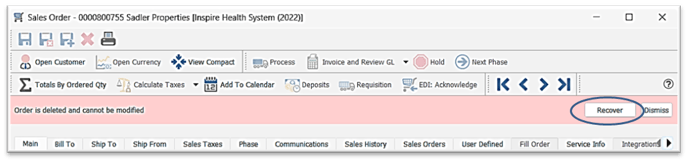
 Edit to open > click on Recover in the pink banner
- double-click or select