![Gemini-Logic-Logo (1).png]](https://cs.geminilogic.com/hs-fs/hubfs/Gemini-Logic-Logo%20(1).png?height=40&name=Gemini-Logic-Logo%20(1).png)

Shipping Methods (Ship Via)
- access Edit > Shipping Methods
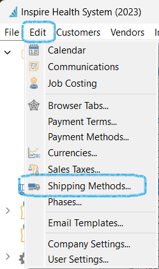
- new Shipping Method
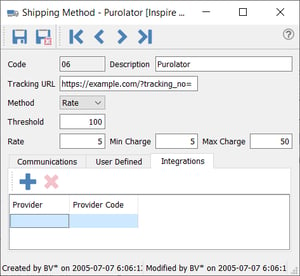
- enter a unique Code / Description
-
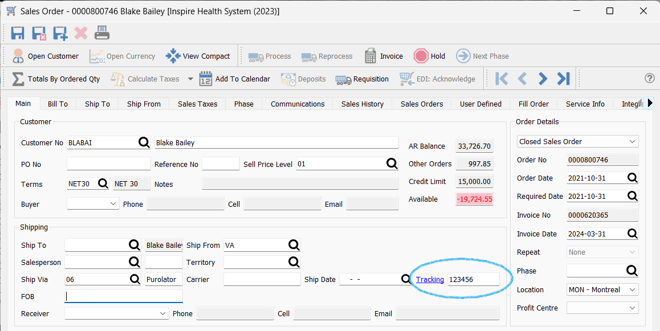
- set the Tracking URL to create a Tracking hyperlink in your Sales Orders when this Shipping Method is selected and the Tracking number is entered:
-
- select the Method if charging on sale orders:
- Rate - to charge a percentage of the Sale Order
- Prompt - to have a pop-up message as a reminder to fill in the freight amount
- Fixed - freight amount will always be the same on all Sale Orders
- Threshold - the amount on the Sale Order after which Freight will not be charged
- Rate - the percentage of the Sale Order that will be the Freight charge
- Min Charge / Max Charge - optional entries for Freight charges min / max amounts
- select the Method if charging on sale orders:
 Communications tab - document or schedule or attach a Communication / Note / Alert on a record or event for this Sales Order item (see examples in Sales Orders - Communications
- User Defined tab - see User Defined Fields
- Integrations tab see Installation - Integrations